Demos

Each demo is a real page built from independently deployed FynApps. Open the Federation Inspector from its corner badge to see which app supplied each shared module.

The demo page with React, Vue, Preact, Solid, Svelte and Marko FynApps side by side

Six frameworks on one page

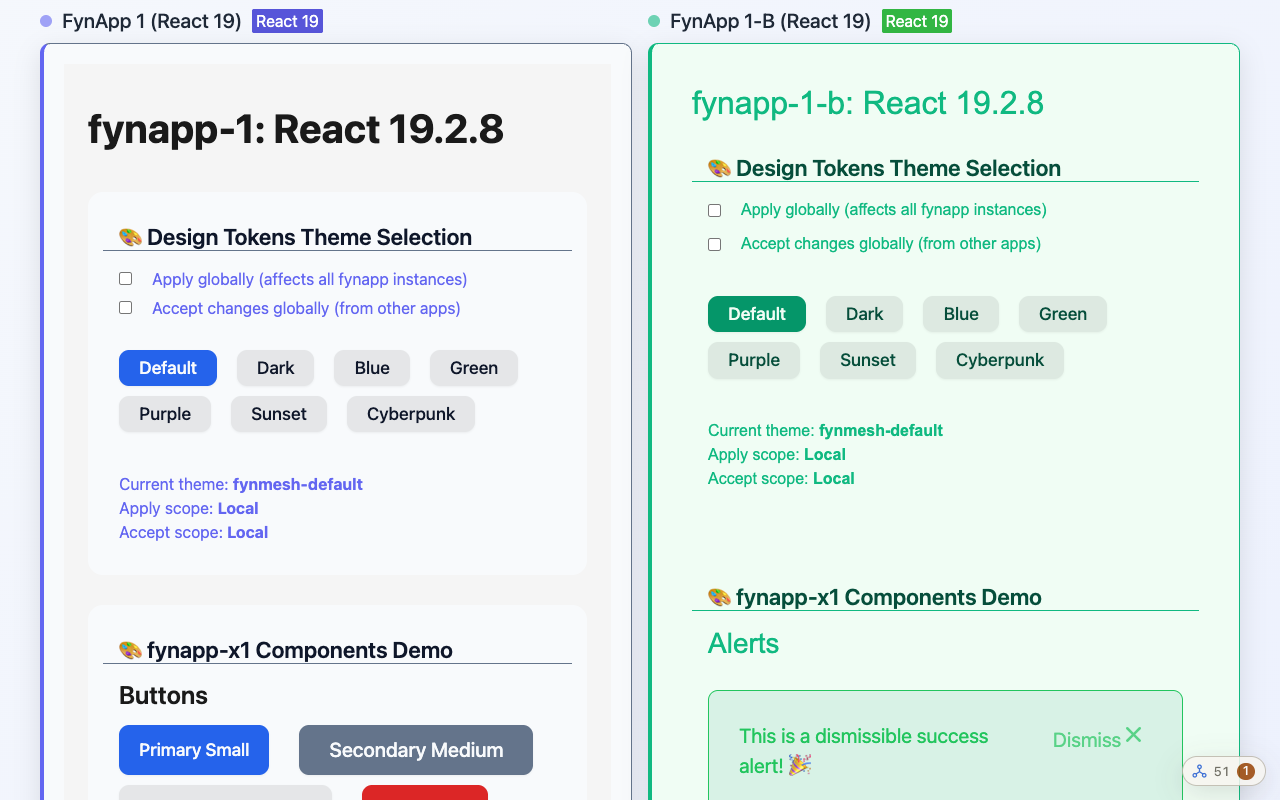
Thirteen FynApps load into one page. React 18 and React 19 apps run next to Vue, Preact, Solid, Svelte and Marko, and each gets the React copy it was built for.

What to look at

  • The two React majors, each in its own apps
  • Two releases of fynapp-x1 loaded under one name
  • Two apps chatting over FynBus
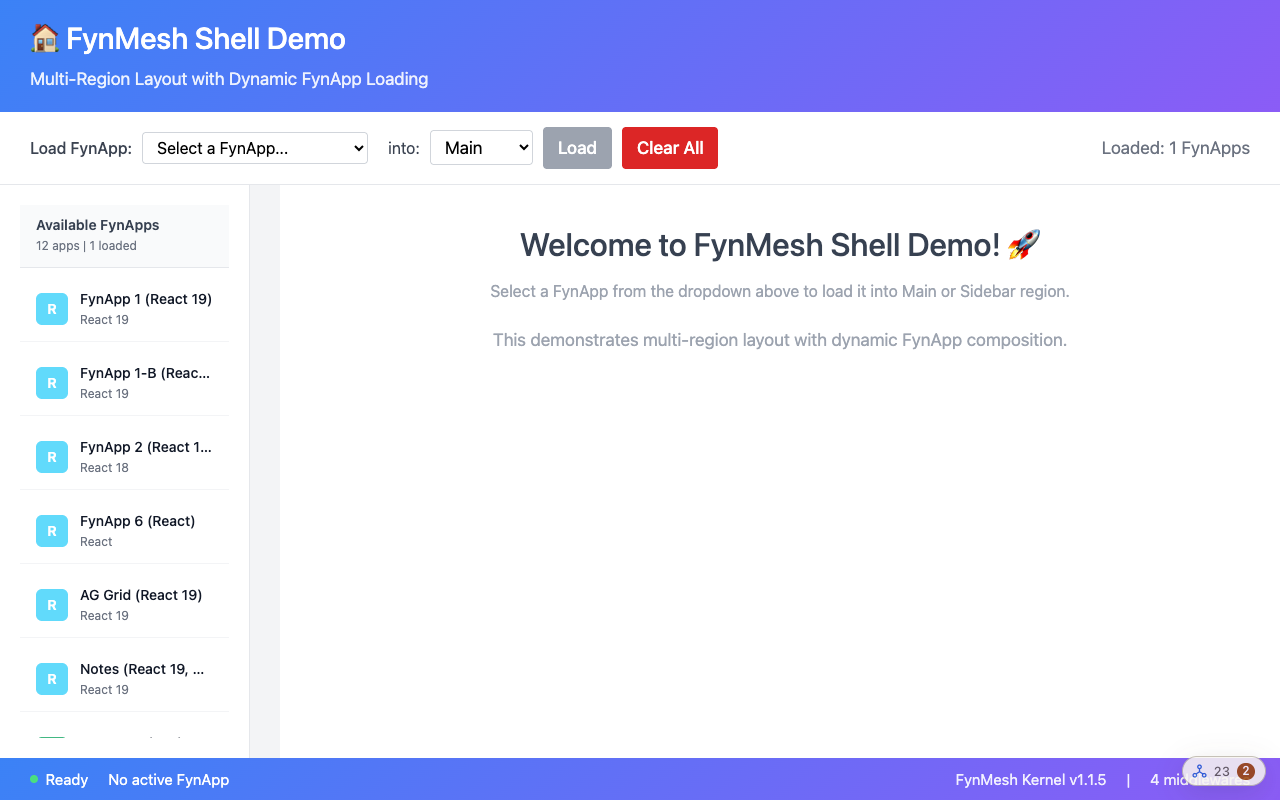
The shell demo with a sidebar of FynApps and a main region

Shell layout

A layout middleware builds the page from FynApps. Pick an app and a region, and the shell places it there while the page runs.

What to try

  • Load a FynApp into Main, then another into the sidebar
  • Clear all and load them again without a page reload
  • Watch the status bar count the loaded middleware
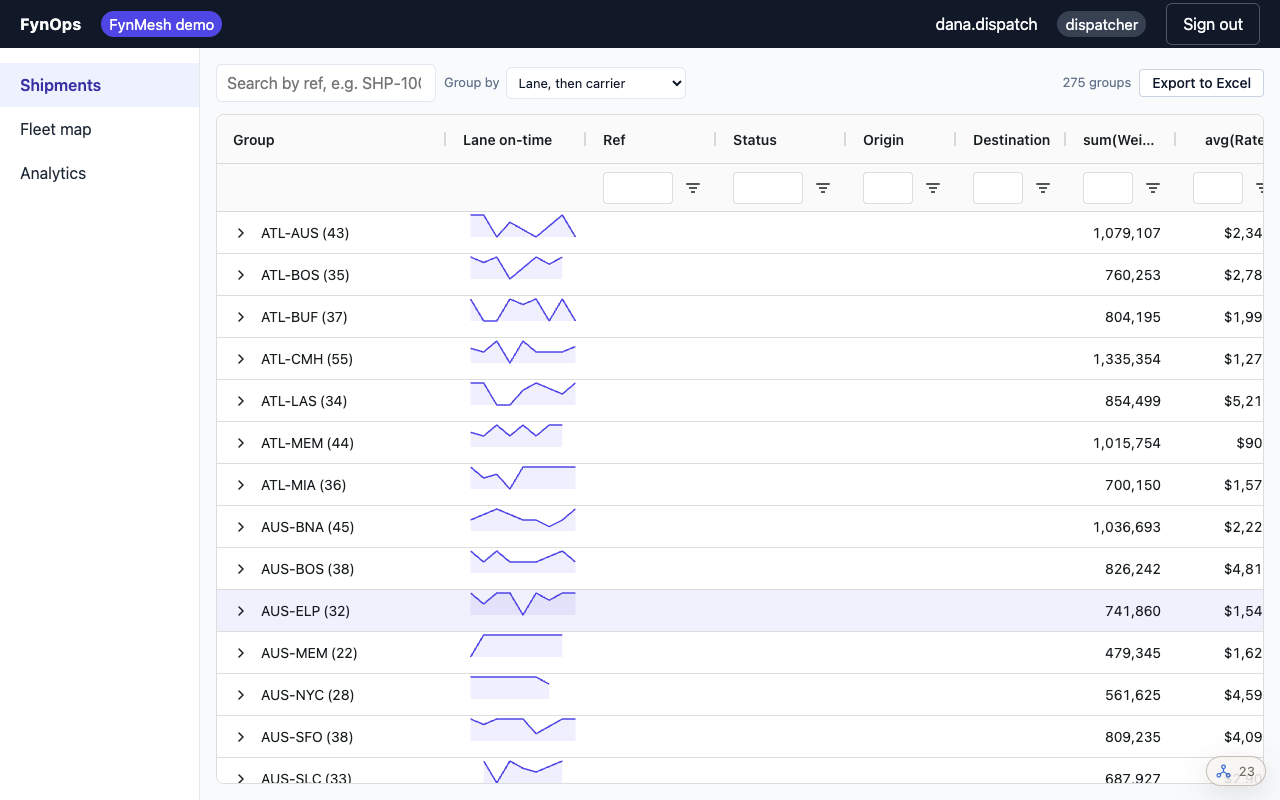
The FynOps logistics console

FynOps logistics console

A larger app built from ten FynApps. A shipments grid, a live fleet map and analytics each load on their own route, and they share React, AG Grid and ECharts at runtime.

What to try

  • Sign in as any user. It is simulated and needs no password.
  • Move between routes and watch each FynApp load on its first visit
  • Open a shipment while the map keeps updating
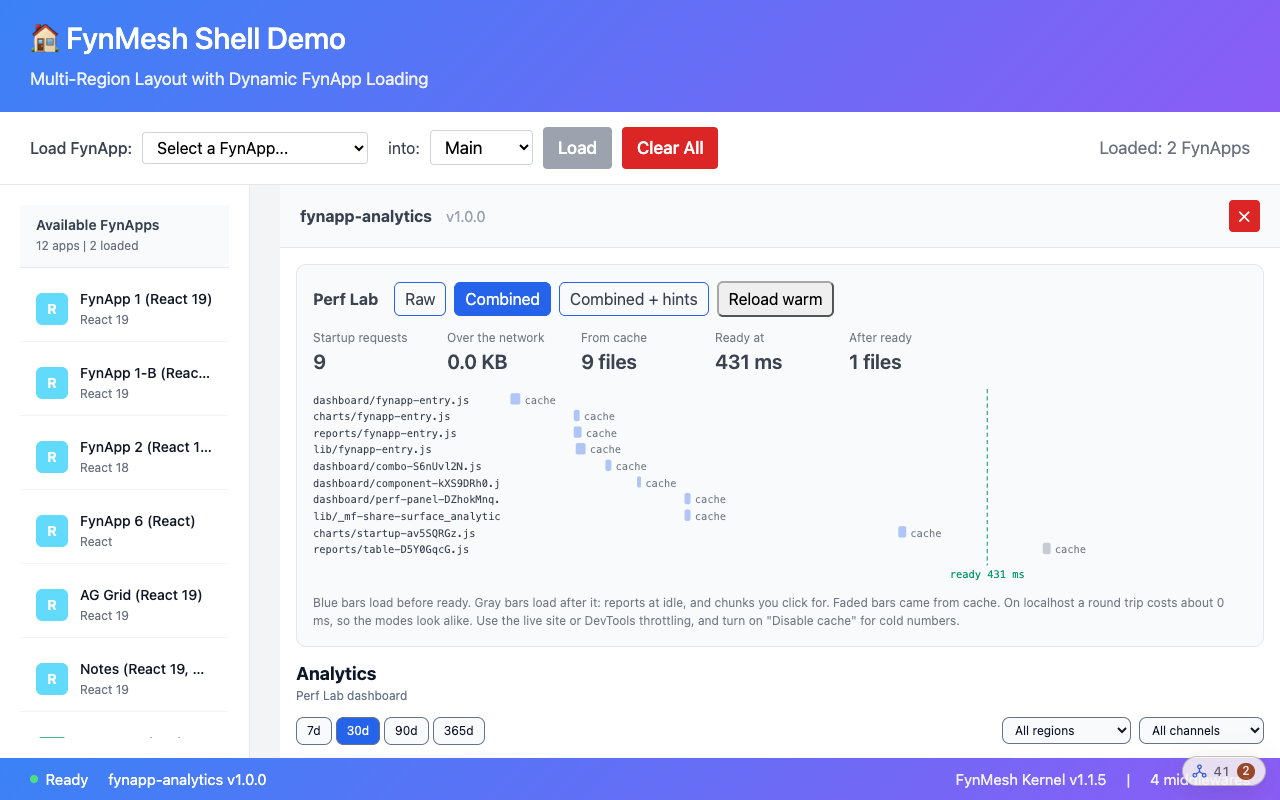
The Perf Lab analytics suite inside the shell, with its mode panel

Perf Lab

An analytics suite of four FynApps that runs inside the shell. A mode switch reloads it raw, with combined chunks, or with combined chunks plus preload hints, and a panel shows what each mode costs.

What to try

  • Switch between raw, combined and hints, and compare the request counts
  • Reload warm to see the cache at work
  • Throttle the network in DevTools to make the differences clear
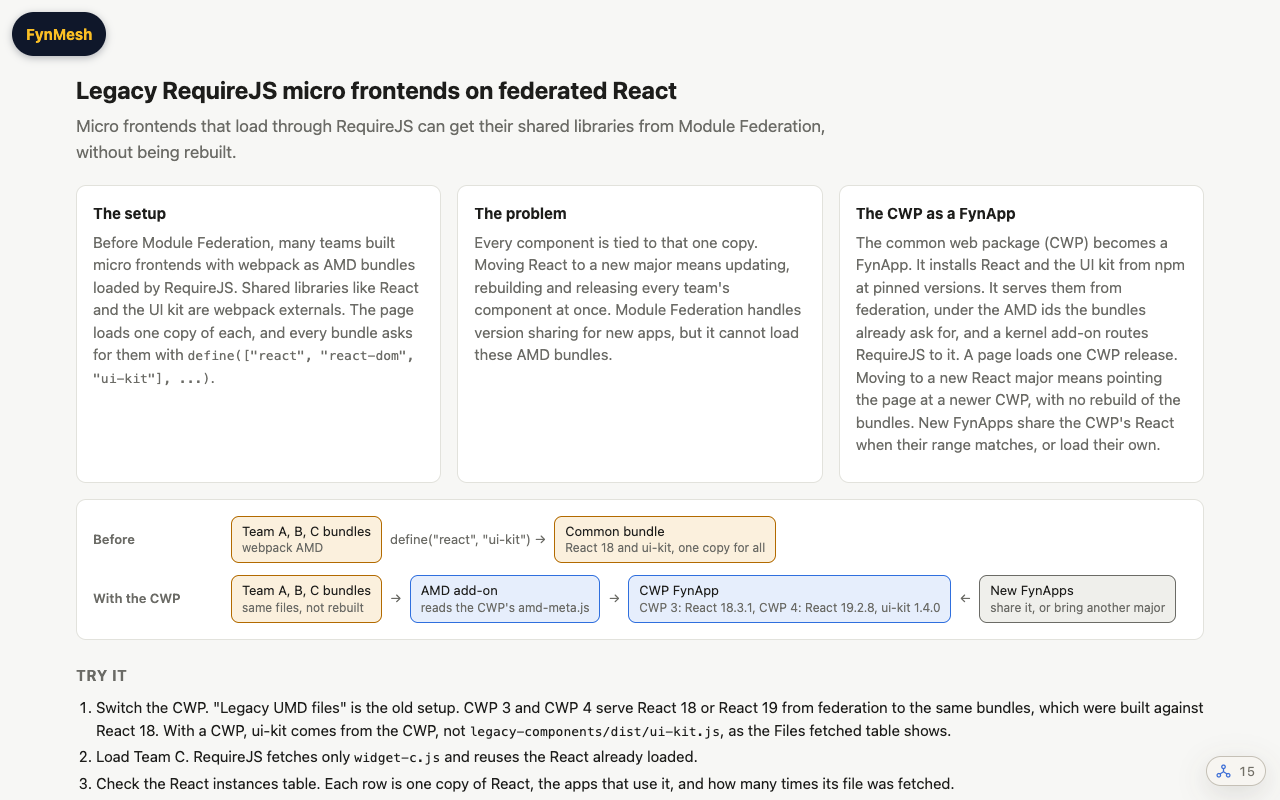
The demo intro: the legacy setup, the React lock-in problem, the CWP as a FynApp, and a before and after diagram

Legacy RequireJS widgets

Micro frontends built with webpack before Module Federation often load as AMD bundles through RequireJS, with React and a UI kit as externals. Every component is locked to the one React the page supplies, so a React major means updating all of them. Here the common web package is a FynApp that serves React and the UI kit from federation to the unchanged bundles. Two sets of the same widgets run side by side, each on the legacy CWP or the federated one. Ordinary FynApps on the same page share that React or bring another major.

What to try

  • Put each set of widgets on the legacy CWP or the federated one, with React 18 or React 19
  • Load Team C on demand and see which files it fetches
  • Check the React instances table to see which app uses which copy
How the demos are built

Every FynApp in these demos is a separate Rollup build with its own manifest. The page loads only the kernel, which resolves each app by name and range, boots its dependencies first, and shares one copy of each library that fits.

How FynMesh works